![Ostendio - People-First Integrated Risk Management Platform.png]](https://knowledge.ostendio.com/hs-fs/hubfs/Ostendio%20-%20People-First%20Integrated%20Risk%20Management%20Platform.png?height=40&name=Ostendio%20-%20People-First%20Integrated%20Risk%20Management%20Platform.png)
You will see notifications of pending actions in a few places within the Ostendio platform. They can be found:
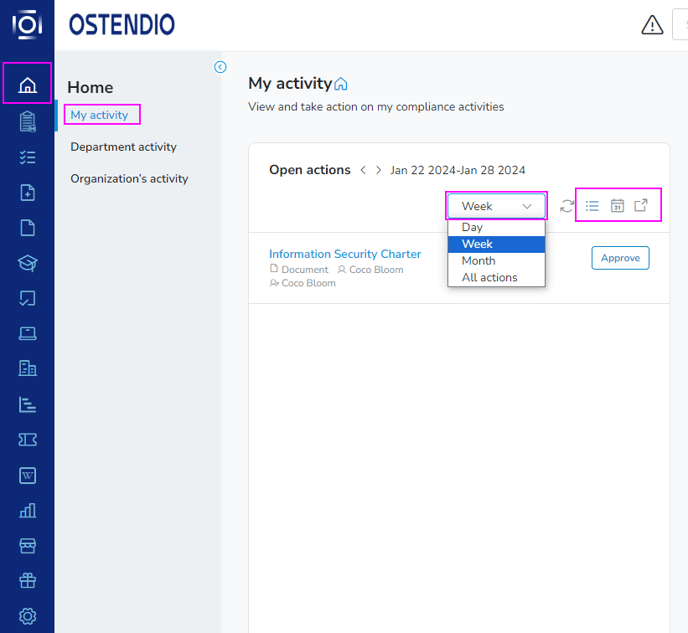
- In My activity accessed under Home on the left-hand-side menu of Ostendio in your Open actions list.
Pro Tip:
- Use the dropdown to select Day, Week, Month, or All actions.
- Toggle between list view and calendar view.
- Export a list of your pending actions
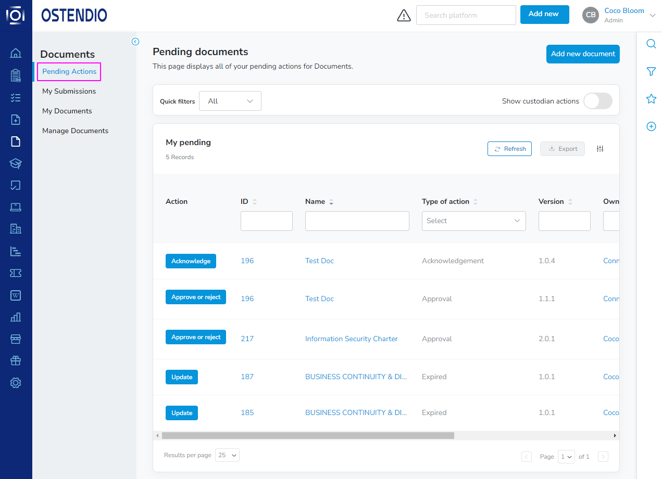
- Inside each individual module like the Documents or Training areas found on the static menu on the left-hand side of any Ostendio page under their respective ‘Pending Actions’ tab.
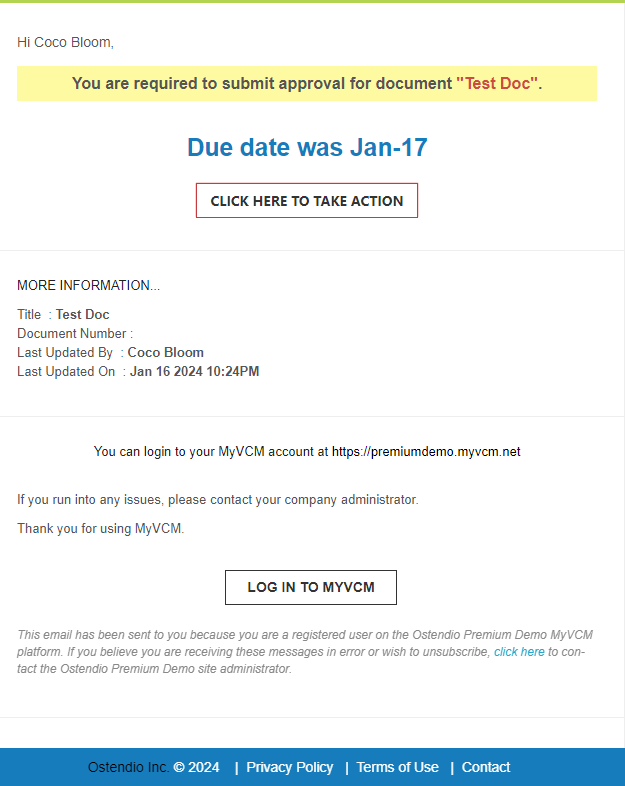
- In emails generated from the system when a pending action has been assigned to you.
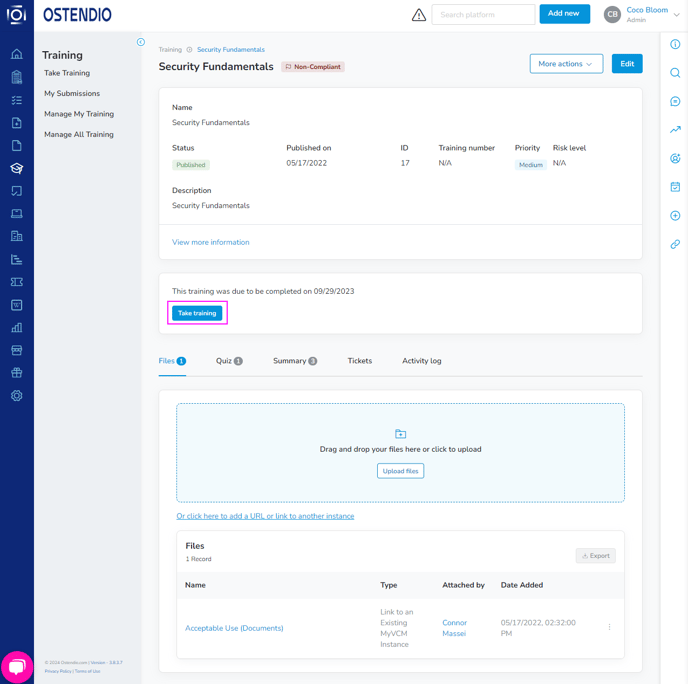
When completing the action, select the blue button in the middle of the page to complete. (Examples of this button include: Take training in the Training module, or Acknowledge in the Documents module.)